New Billing Portal: Please Re-enroll for Auto-Pay
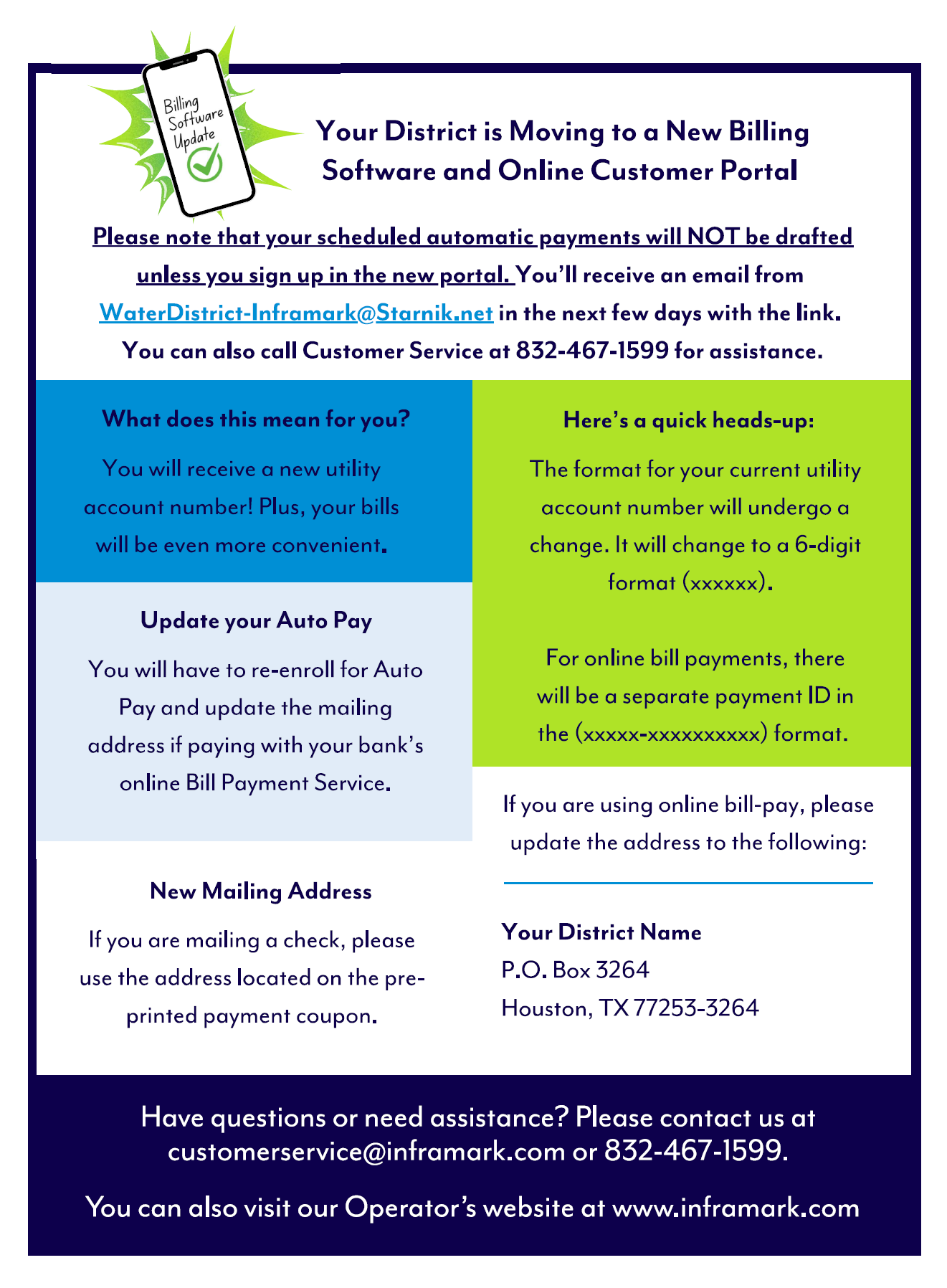
Inframark is moving to new billing software and online customer portal. Please read on to learn how this will be changing how customers remit payments for monthly water usage.
You will have received an email from WaterDistrict-Inframark@Starnik.net with a link that will take you to Inframark’s portal where you can obtain your new account number, set up a new billing profile, review your bills on line, schedule auto payments, and more.
Depending on how you currently pay your water bill, you will need to take different action. Below, we have summarized the changes for each method of submitting payment:
- If you currently pay thru Inframark’s online portal, manually or via Auto-Pay, you will need to follow the link in the email sent to you from WaterDistrict-Inframark@Starnik.net to set up a new billing profile. If you do not see the email, please check your spam/junk folders.
- If you pay via check, the address to mail the check to has changed, so if you don’t use the payment coupon and provided envelope, please ensure your payment is mailed to the new address.
- If you pay through your bank, you will need to update your account number, which can be obtained by contacting Inframark’s Customer Service Number, or and the address the bill is being sent to.
The new pay-to address is:
Fry Road MUD
P.O. Box 3264
Houston, Tx 77253-3264
If you have questions, contact Inframark Customer Service at (832) 467-1599 or email to CustomerService@Inframark.com.